Artificial intelligence for environmental impact assessment
For consultancies preparing environmental and social impact assessments. Answers and drafts cite the project and regulatory documents they draw on, and your specialists check them before the Environmental Statement is approved.
Who it’s for
Environmental consultancies
Commitments go missing from the register and gaps are found at final review.
Developers and operators
Commitments and consent conditions are lost between consent and construction.
Lenders and development finance institutions
Reviews against lender standards depend on who did the reading.
Regulators and reviewers
Consistency across a caseload of submissions depends on memory.
Artificial intelligence on the assessment
Consultancies are adopting artificial-intelligence tools. In EcoSphere, the artificial intelligence works from the project’s documents and the regulations for its jurisdiction, and cites what it relies on.
Ask AI
Answers with numbered sources.
Ask a question about the project or the regulations and get an answer with numbered sources a reviewer can open. If the project and the regulations hold nothing on the question, Ask AI says so.
Review with AI
A chapter’s claims checked against the project’s documents.
Review with AI checks a chapter’s claims against the project’s documents and the requirements for that section before a reviewer sees it, with the passage behind each finding.
Draft with AI
A section drafted from the project’s sources.
Draft with AI writes a section from the project’s documents and registers, and cites the sources it uses. A specialist reads the draft before inserting it, then edits it like any other text.
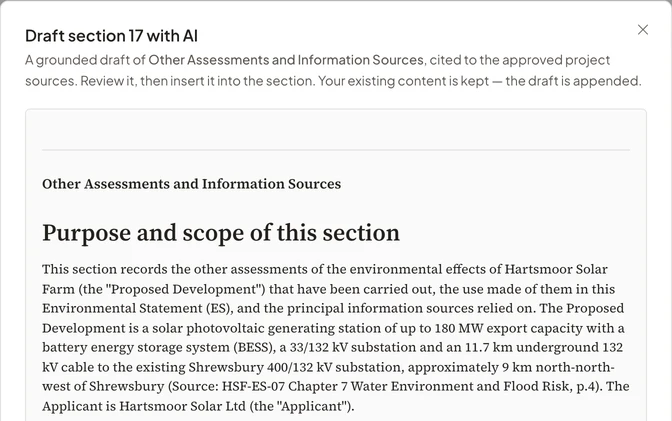
Checks on artificial-intelligence output
Specialists accept each recommendation before it enters the assessment, and check each draft before the report is approved.
Numbered sources
Every answer and draft lists its sources, and a reviewer opens them in one click.
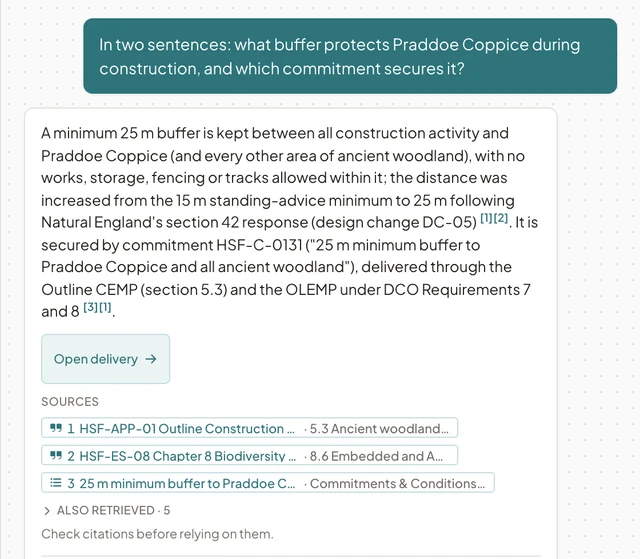
An Ask AI answer with its numbered sources, each naming the document and section or the register entry. When there is no source
If Ask AI cannot find a supporting source in the project or the regulations, it says so.
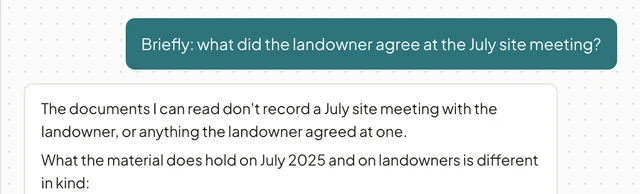
Asked about a July site meeting, Ask AI says the project’s documents hold no record of one. Review and approval
A named reviewer approves the report, and the exported revision history shows who approved it and why.
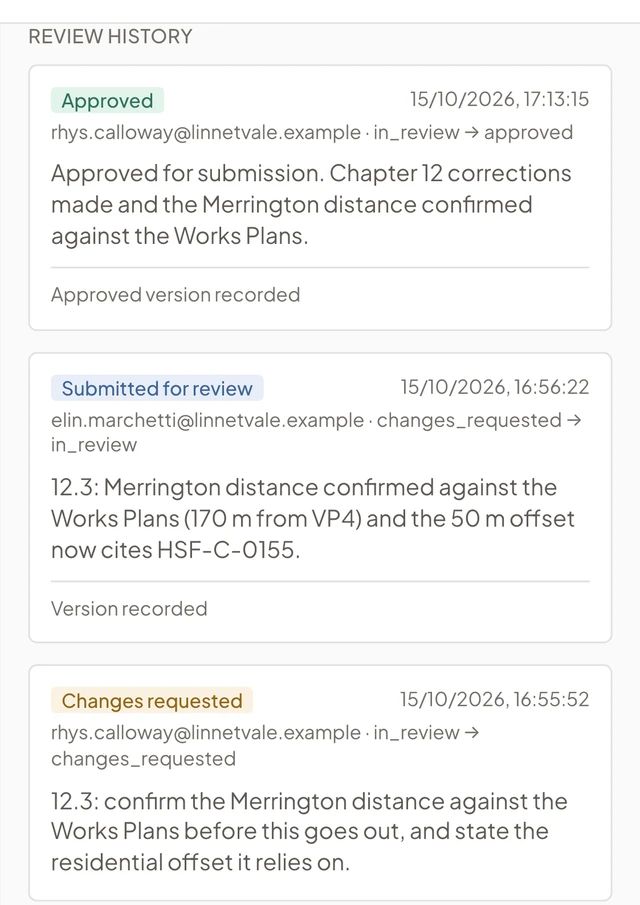
The approved Environmental Statement, with the approval and its reason in the review history. Record of artificial intelligence use
Exported reports include an artificial intelligence use statement recording where artificial intelligence was used.
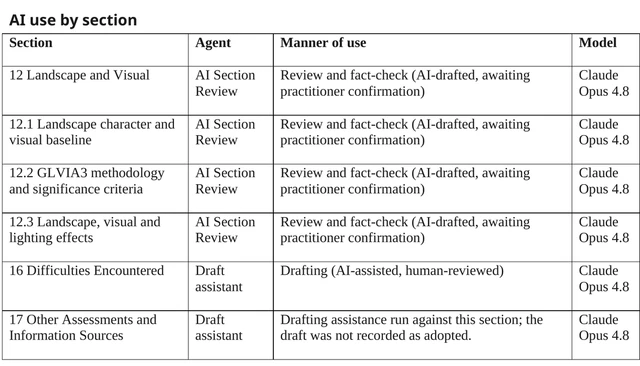
The artificial intelligence use statement in an exported Environmental Statement, listing each section where artificial intelligence was used with the model and the manner of use.
Ways to work with EcoSphere
Your team keeps the tools it already uses.
In the browser
The web application is where the project record, the registers and the reports live. Every row links to the document it came from, so the team works from the same evidence.
In Microsoft Word
Authors check a chapter against house style and the project record without leaving Word, and add citations or drafted text as tracked changes. Documents can stay in SharePoint.
With the assistant
Ask AI is available throughout the app. It answers questions about the project and the regulations with numbered sources, and says when it cannot find one.
Through Microsoft Copilot and other popular agents
Connect Microsoft Copilot Studio or another popular artificial-intelligence agent to EcoSphere to look up a project’s records and ask its assistant for a cited answer. Access is read-only and limited to your workspace.
Running the assessment in EcoSphere
The platform manages the project’s assessment registers and project controls, and the artificial intelligence works from that record.
Constraints
Import the site boundary (the red line) and scan it against designation and receptor layers. The constraints register gives each constraint’s distance from the boundary and the zone of influence it is assessed against.
Scoping
The platform recommends a scope for each topic from the consenting regime and the project facts. A specialist confirms or overrides each recommendation, and the reason is recorded with the scoping decision.
Commitments
Commitments are proposed from the chapters with the quoted sentence and a page or paragraph reference. A specialist accepts each one, so the register of what the project has promised is complete before it reaches the client.
Environmental Statement
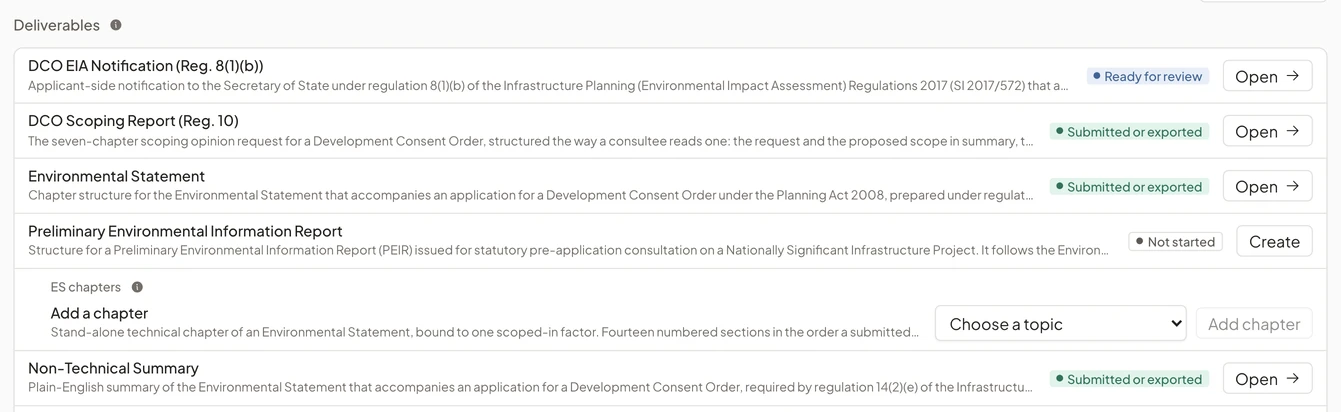
Chapters follow the content the consenting regime requires and list the checks still outstanding. After approval, export the Environmental Statement to Word or PDF in your own template, with its revision history.
See EcoSphere in a demo
Follow an assessment through to an approved Environmental Statement.
We show source checks, chapter review and the approved export on a fictional project, then talk about your consenting regime and how your team works.