Draft and check the Environmental Statement before it goes to review
Chapters follow the structure your regulations require and show what is outstanding. Once a reviewer approves the Environmental Statement, export it to Word in your own template.
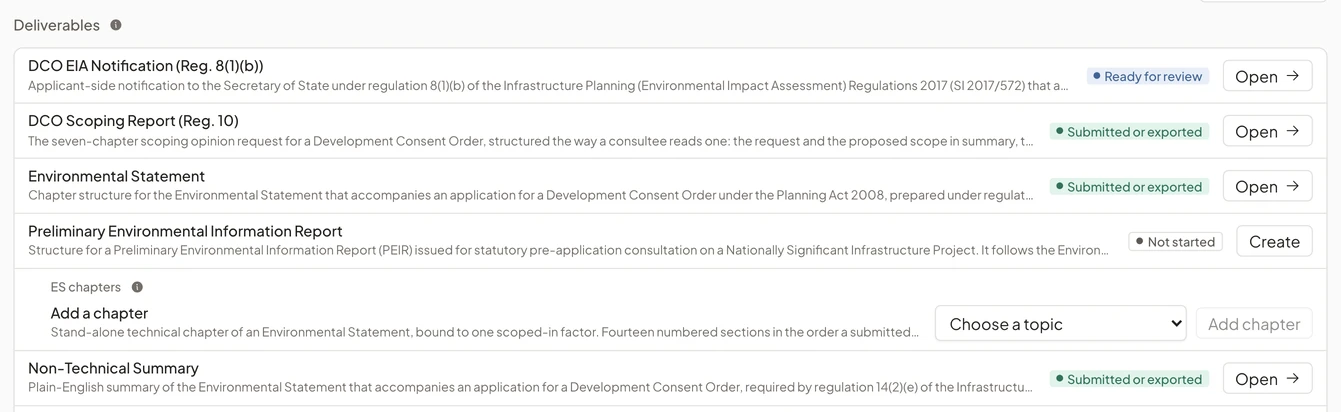
Deliverables for the consenting regime
Each deliverable the regime requires, with its review status.
Every document the consenting regime requires has a structure ready to fill and shows whether it is ready for review.
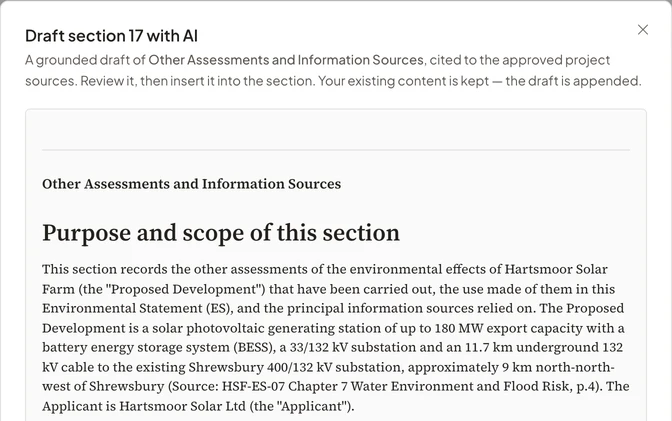
Drafting from the project’s sources
Draft with AI writes a section from the project’s documents and registers, and cites what it uses.
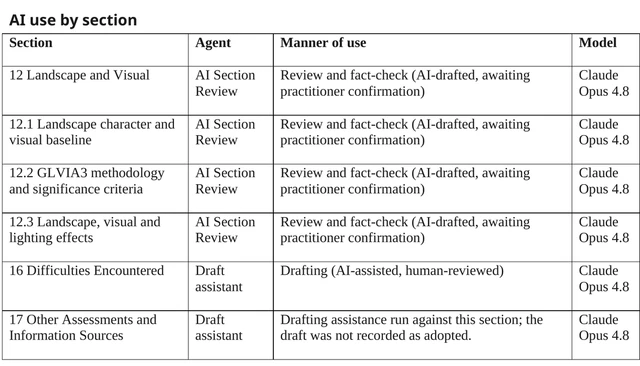
A specialist reads each draft before it goes into the section, and the export records which sections were drafted with help.
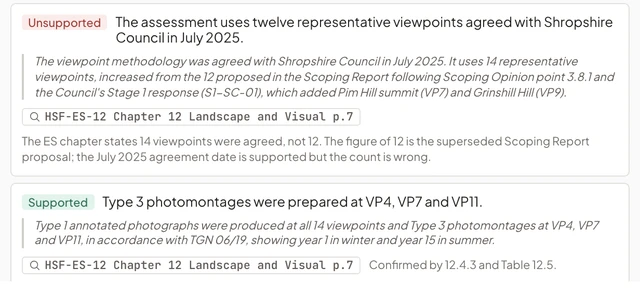
Checks before a chapter goes to review
Review with AI checks each claim against the project’s documents and each section against what the regulations require of it, with the passage behind every finding.
The reviewer starts from the findings rather than from a blank chapter.
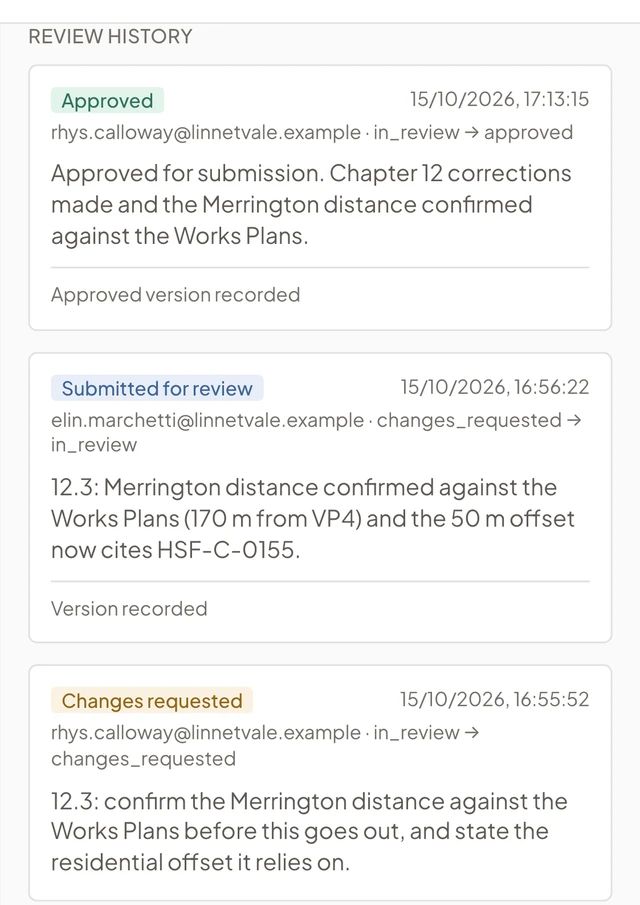
Review and approval
A reviewer approves the report or requests changes, and each decision is kept in the review history.
A named reviewer approves the statement or sends it back with reasons, and the approved version is kept as issued. Where the regime requires it, the statement of competent experts is part of the record.
Export in your own template
Your template, a revision history from the approval record, a table showing where each requirement of the regulations is addressed, and the artificial intelligence use statement.
The artificial intelligence use statement lists each section where artificial intelligence was used, with the model and the manner of use, and the sections written without it. For United Kingdom projects it follows the Institute of Sustainability and Environmental Professionals’ advice note on artificial intelligence in environmental impact assessment.
See EcoSphere in a demo
Follow an assessment through to an approved Environmental Statement.
We show source checks, chapter review and the approved export on a fictional project, then talk about your consenting regime and how your team works.