Artificial intelligence that cites the project and regulatory documents it uses
Ask AI, Review with AI and Draft with AI work from the project’s documents and registers and the regulations for its jurisdiction. Specialists review what they produce, and each export records where artificial intelligence was used.
Ask AI
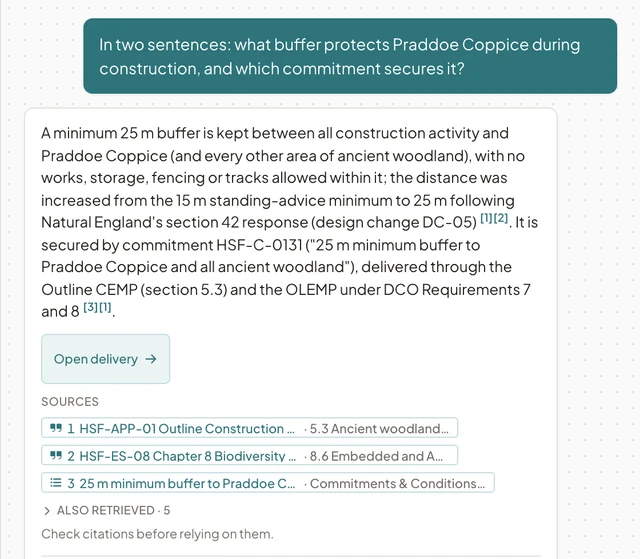
Questions about the project, answered with numbered sources.
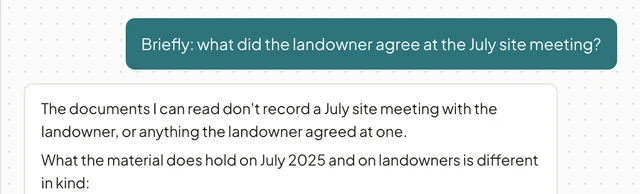
Answers come with numbered sources a reviewer can open, and name the model that wrote them. Where nothing in the project or the regulations supports an answer, Ask AI says so.
The project knowledge graph
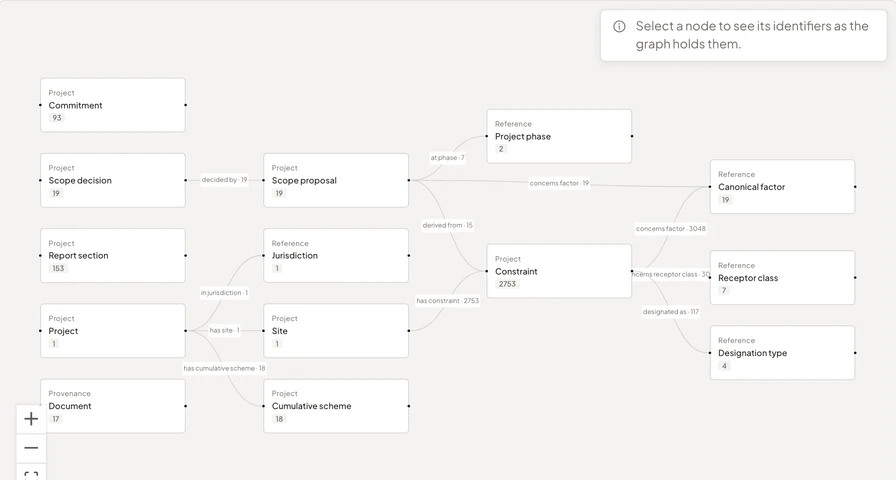
The project is kept as linked facts, so Ask AI answers a question that runs across chapters and registers from the record, with each entry cited.
Most tools answer by searching the documents for the passages closest to the question and handing them to a model. That works for one fact in one place. The questions an assessment turns on are usually chains: the impact is in one chapter, the mitigation in another, the commitment that secures it is in a register, and the duty it discharges is in the regulations. No single passage holds the answer, so a search-and-summarise tool guesses at the join or misses it.
EcoSphere Intelligence keeps the project as a knowledge graph: the site and its designations, the receptors, the impacts on them, the mitigation, the commitments and conditions that secure it, the chapters that report them, and the statutory duties each topic carries. Each link points back to the passage it came from, and a fact read from a document stays a proposal until a specialist approves it.
Ask AI reads that record directly. A question about which, how many or what status is answered from the registers. A chain question, for example which commitments secure the mitigation for each scoped-in water impact and which chapters report them, is answered by following the links, with each register entry cited the way a passage is. Where the record and the documents hold nothing, it says so.
Review with AI
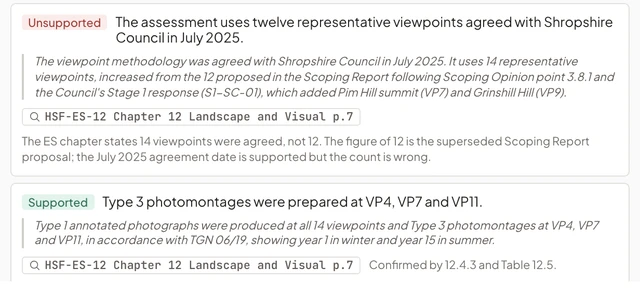
A chapter’s claims checked against the project’s documents and the requirements for that section.
Before a chapter reaches the reviewer, each claim has been checked against the project’s documents and each section against what the regulations require of it, with the passage behind every finding. The reviewer starts from the findings.
Draft with AI
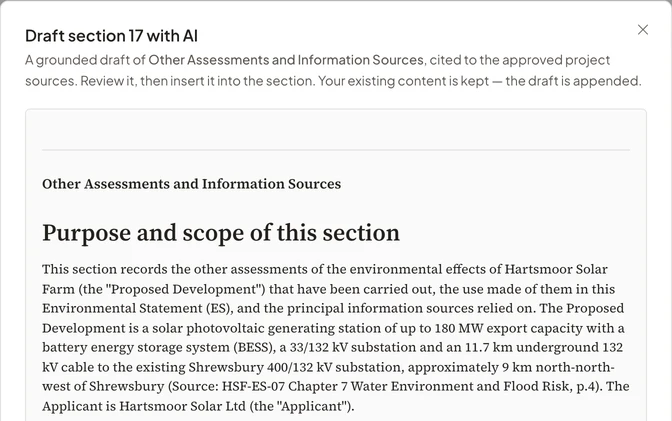
First drafts of sections from the project’s sources, with the sources cited.
First drafts come from the project’s own sources with the citations in the text, and Draft with AI declines where it has no evidence. A specialist reviews every draft before it goes in.
The regulations behind the answers
Each regulatory pack holds the regulations and guidance for one jurisdiction.
Ask AI answers from the regulations and guidance for the project’s jurisdiction, alongside the project’s own documents and registers.
Records of artificial intelligence use
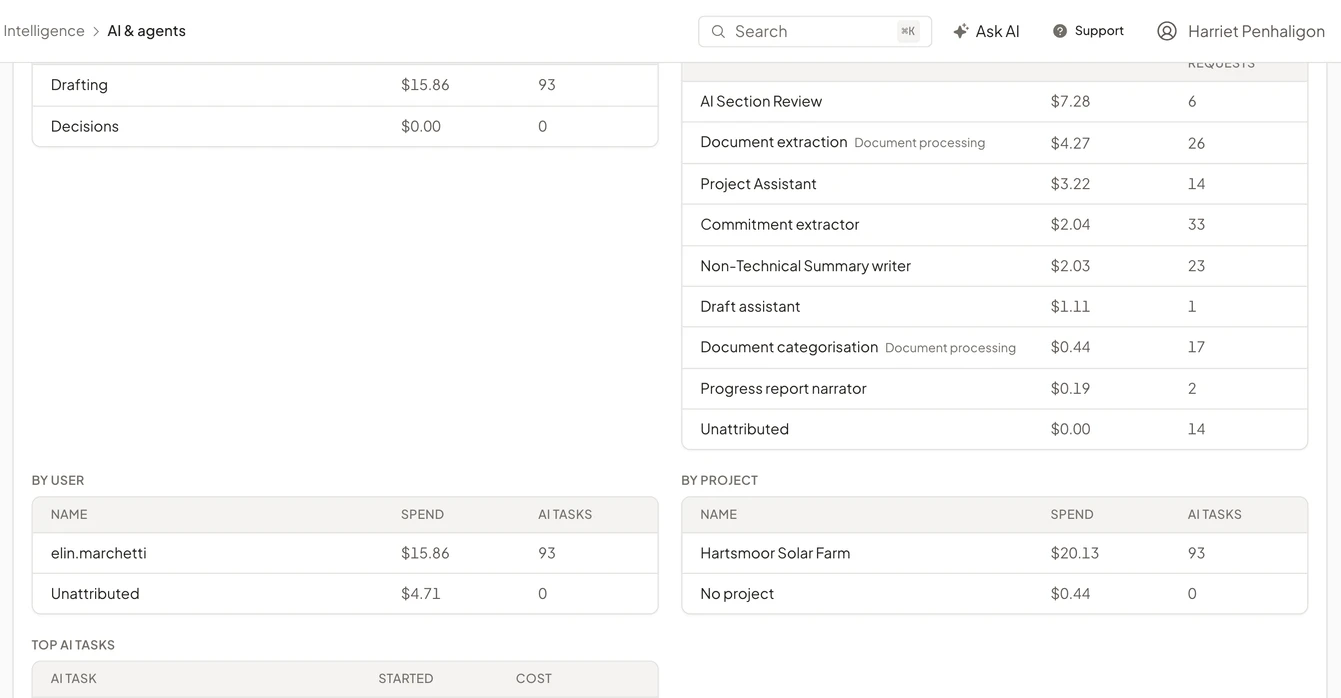
Your quality and technology leads can see where artificial intelligence was used, by whom, with which model, and what it cost.
Each export carries an artificial intelligence use statement, each run is in the workspace audit log, and owners and admins see spend against a monthly cap. We instruct our model providers, by contract, not to use your prompts, inputs or outputs to train their models (Privacy Policy, section 4).
See EcoSphere in a demo
Follow an assessment through to an approved Environmental Statement.
We show source checks, chapter review and the approved export on a fictional project, then talk about your consenting regime and how your team works.