Ways to work with EcoSphere
In the browser, in Word, with the assistant, or through Microsoft Copilot and other popular agents. Your team keeps the tools it already uses.
In the browser
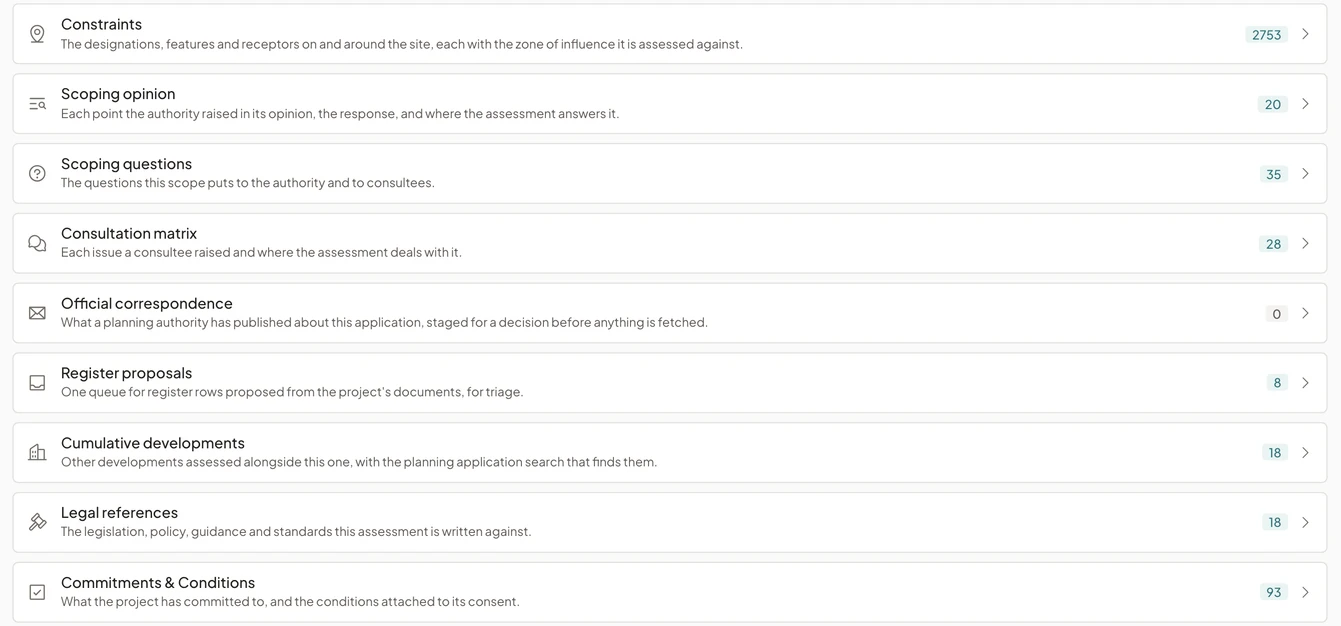
The web application is where the project record, the registers and the reports live.
Every row links to the document and chapter it came from, so specialists and reviewers work from the same evidence. Registers export for issue, or publish to SharePoint as a workbook for a client or contractor.
In Microsoft Word
Check a chapter without leaving Word.
Authors check a chapter against house style and the project record, and add citations or drafted text as tracked changes, so the author decides what stays and the chapter’s history shows it.
Documents can stay in SharePoint. The platform reads them from there and keeps each saved change, so the assessment always works from the current file. Your Microsoft 365 administrator deploys the add-in and connects SharePoint, and we walk them through it.
With the assistant
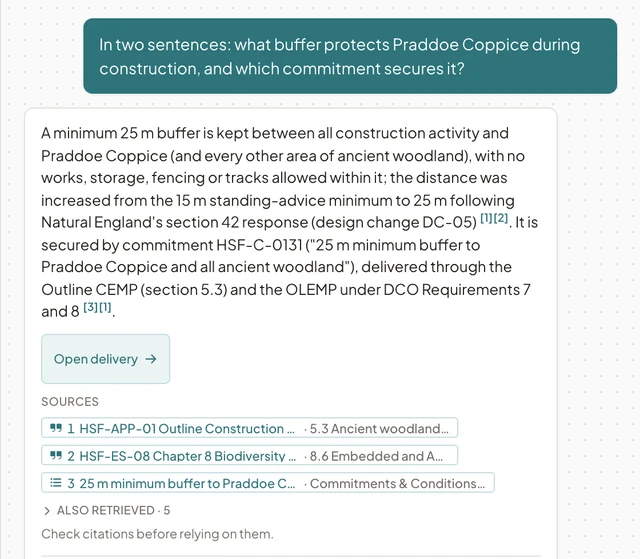
Ask AI is available throughout the app.
It answers questions about the project and the regulations with numbered sources, and says when it cannot find one.
Through Microsoft Copilot and other popular agents
Bring the project’s records and cited answers into the agent your team already uses.
Connect Microsoft Copilot Studio, or another agent that supports the model context protocol, to EcoSphere. The agent can look up a project’s constraints, screening, scoping, commitments, conditions, report sections and residual effects, and ask the platform’s assistant for a cited answer.
Access is read-only and limited to your workspace, and we set it up with you.
See EcoSphere in a demo
Follow an assessment through to an approved Environmental Statement.
We show source checks, chapter review and the approved export on a fictional project, then talk about your consenting regime and how your team works.