Regulators and reviewers
An officer reviewing submitted Environmental Statements reads each one against the same requirements by hand, and consistency across a caseload depends on memory. EcoSphere checks every submission against the same standard and shows the officer the quoted passages behind each finding, so the basis for each decision is on record.
For each requirement the artificial intelligence quotes the passages it finds in the submission, with the document and paragraph, and the officer decides the finding. Where the assessment was prepared in EcoSphere, its consultation matrix shows where each consultee matter is answered, and each scoping decision carries the reason it was made.
Checking a submission against the consenting regime
The review is set up as a submission review against the regulations the application is made under.
For the Hartsmoor application that is the Infrastructure Planning (Environmental Impact Assessment) Regulations 2017. The applicant’s duties in the regulations become the requirements the submission is checked against, and the officer sees the evidence for each one.
The passages behind each finding
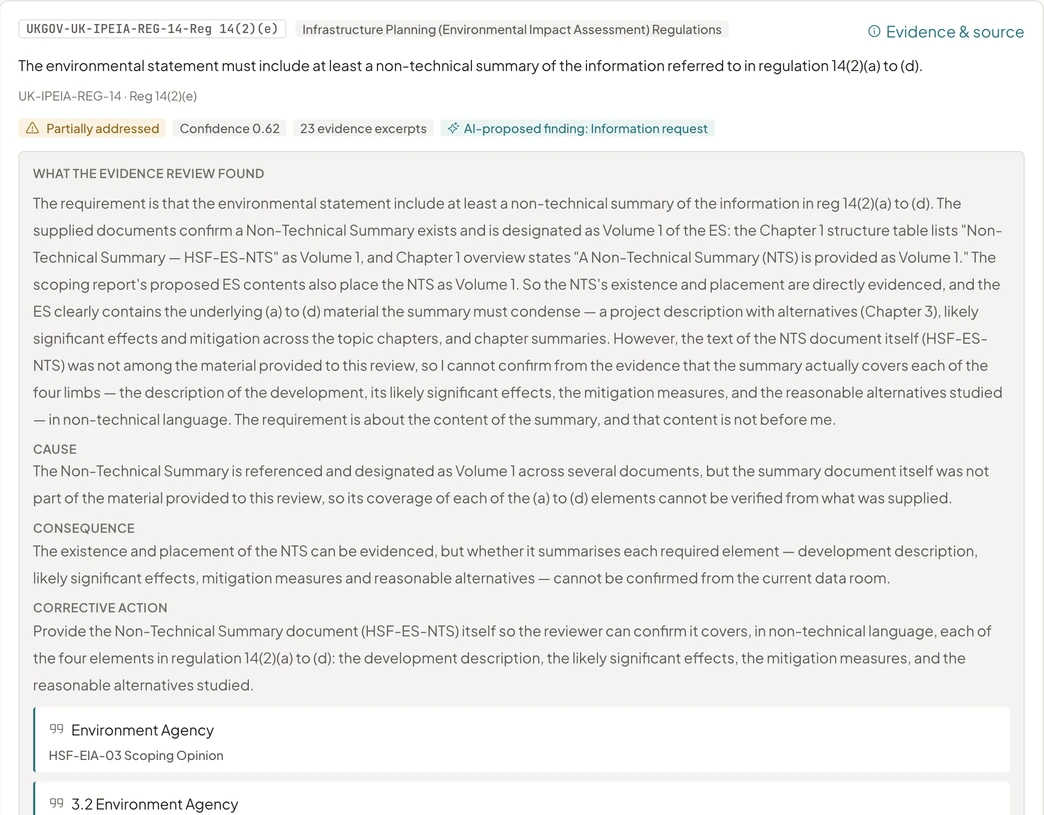
The officer opens a requirement and reads the passages quoted from the submission, each with the document and section it came from.
The finding is the officer’s. Where it departs from what the evidence review reported, the reason is recorded with it, so the basis of every decision across the caseload can be read back.
The consultation record
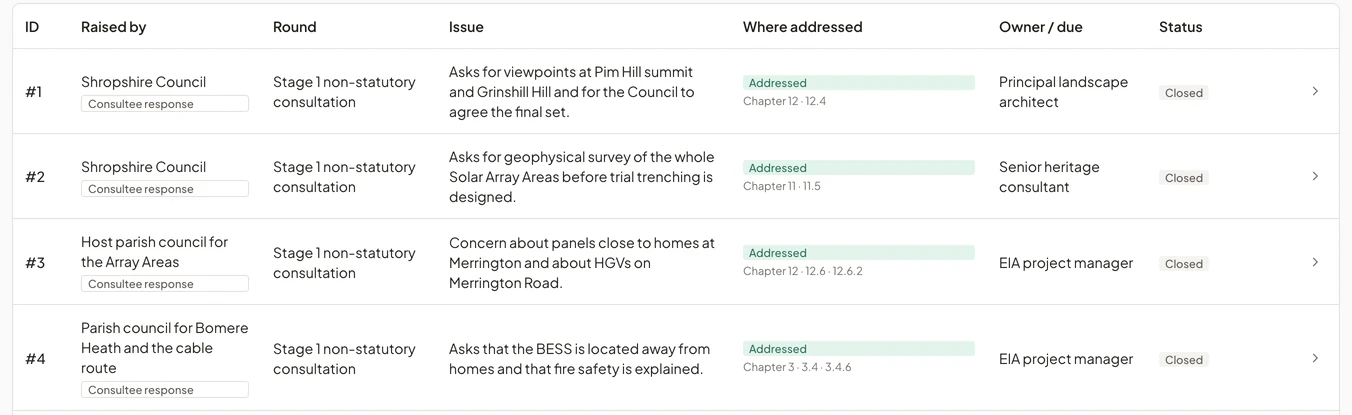
The consultation responses submitted with the application are read with the chapters, so a requirement about consultation is checked against what consultees said.
Where the assessment was prepared in EcoSphere, its consultation matrix also records who raised each matter, in which round, and where the Environmental Statement answers it.
Requests for further information
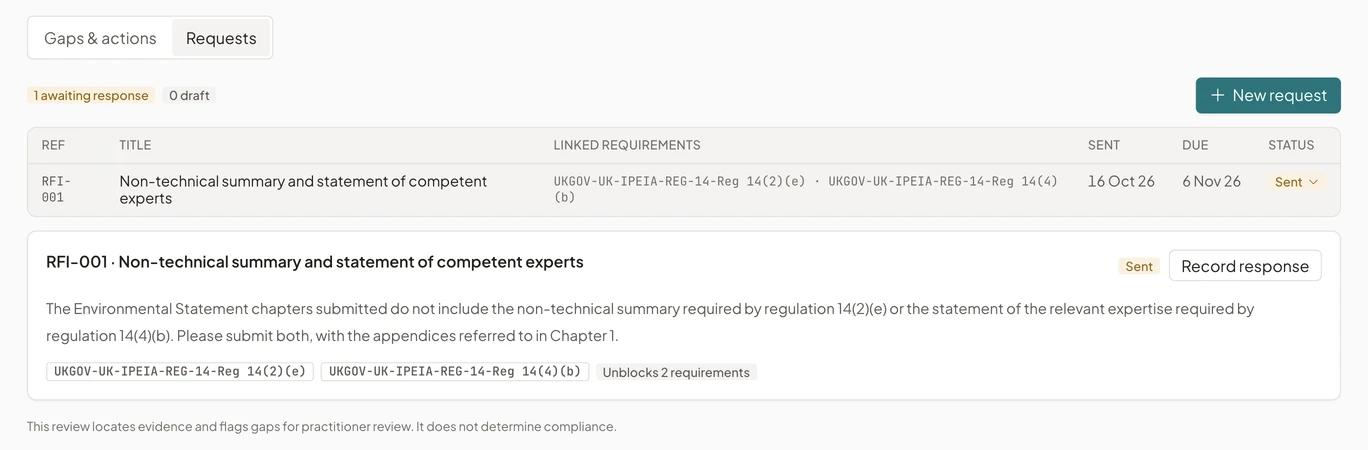
A request to the applicant is tied to the requirements it will answer, with a due date.
The request moves from draft to sent, responded and closed, and the applicant’s response is uploaded against it so the next pass of the evidence review reads it.
The record of the review
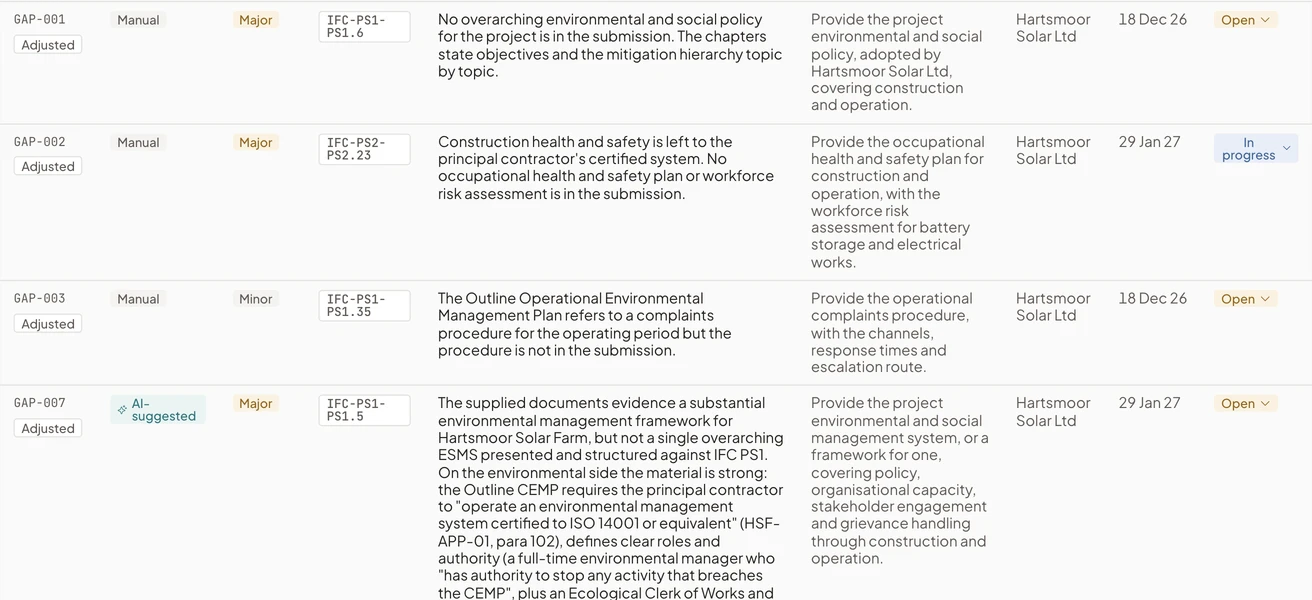
Findings, gaps and requests export to a workbook with the source of each row.
The workbook lists the requirements, the findings, the gaps and any conditions, each with where it came from, so the review can be examined or handed to the next officer.
Related pages
See EcoSphere in a demo
A walkthrough on a sample review.
We show a submitted assessment reviewed against a standard, from the evidence for each requirement to the Gap Assessment Report.